Aiseesoft Screen Recorder Key (1 Year / 1 PC)
- Platform
- Digital key
- Type
- Software
- Region
- Region free
- Availability
- In stock
−29%€3.49
€2.49
- Pay from your Mylven balance — no card at checkout
- Code shown in your account and sent by email
- Code doesn’t work? We replace it or refund you
Sold and delivered by MYLVEN LTD
Description
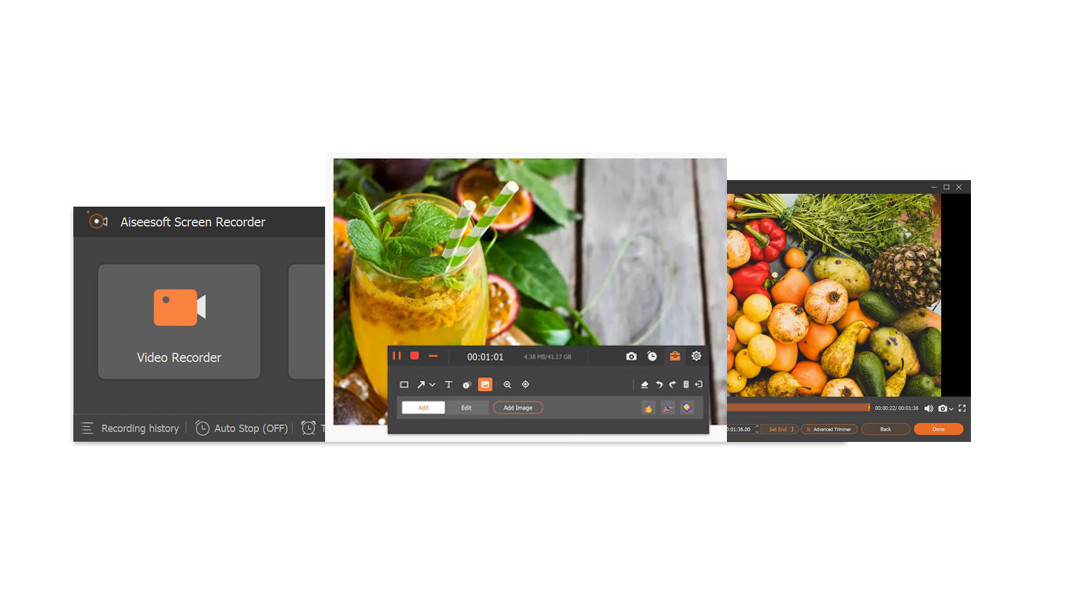
Get the easiest but professional way to record your screen and take snapshots here. Aiseesoft Screen Recorder is the best screen recording software to capture any activity on Mac or Windows computer. It can work as a good video game recorder, video call capture, and more to capture any area of your screen. While screen recording, you can edit video/snapshot and draw new labels to output file. Features Record screen videoAs powerful screen recording software, Aiseesoft Screen Recorder enables you to record any screen video with ease. You can use it to capture videos, games, webinars, lectures, presentations, video calls, conference, webcam videos, etc. in full screen or customized screen size.While capturing screen, you can highlight the cursor movement to make it easier to track. Moreover, the "Blue-light" real-time HD video encoding technology can guarantee you excellent image and sound quality. Lock window capture feature allows you to keep recording activity on a certain window. So that the screen recording won't bother other operations. The captured video will be saved in MP4, WMV, MOV, AVI, GIF, TS, etc. for easily playback and sharing. Record your voice from microphoneAiseesoft Screen Recorder can record the internal audio of your computer only. This function enables you to record any sound in MP3, WMA, AAC, M4A, FLAC, OGG, and OPUS for easy playback.Before recording, you are allowed to do a test audio recording to record from speaker and microphone for better experience.Record microphone voice: Choose microphone audio and turn off system audio to add oral explanation to your video presentation. Capture Your Gameplay with No Quality LossAiseesoft Screen Recorder is lightweight but intuitive game recording software for gamers. Its simple controls help users capture the most impressive moments of the gameplay and share them with peers across the world. This dedicated game recorder also allows users to record their game sound and microphone simultaneously. Armed with the support of GPU acceleration tech, this robust game recording software can record the gameplay smoothly without any lag. Furthermore, it also includes webcam overlay adding, snapshot taking and mouse effects so that you can perfect your recordings while creating them. Edit the video and audio recordingAiseesoft Screen Recorder is a really powerful video and audio recording software. More than just help you record screen, or capture audio, it carries lots of necessary editing features to help you get a preferred output file. While recording, you can add images, sticker, arrow, text, line, rectangle, ellipse and more in the scene. Moreover, you can focus or magnify the recording region to make your tutorial with the important notes. Moreover, it offers more settings to set hotkeys, video codec, quality, frame rate, audio quality and other output settings. After saving the recording, you can use its advanced editor to edit the recording file. Record iPhone & Android Phone Screen o...
Activation
Download the installation file https://www.aiseesoft.com/screen-recorder/reference.html. Install it and launch the software. Use the registration code you received to register the program and done. Enjoy the full features.