Club Manager 2016 PC Steam Account
- Platform
- Steam
- Type
- Game
- Region
- Region free
- Availability
- In stock
−19%€15.49
€12.49
- Pay from your Mylven balance — no card at checkout
- Code shown in your account and sent by email
- Code doesn’t work? We replace it or refund you
Sold and delivered by MYLVEN LTD
Description
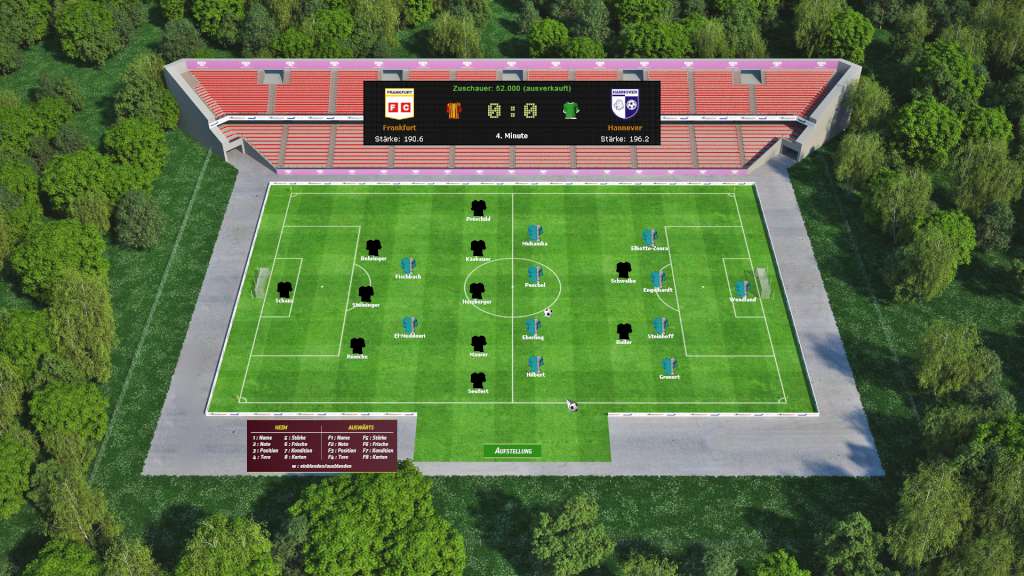
Since its debut a year ago, Club Manager has been one of the most popular football management games for the PC. Its successor Club Manager 2016 offers not only a more modern interface, but also a number of new features and upgrades: Intervene in the team's tactics during a live game, specify additional gameplay modes, or hold your own tournaments. Furthermore, the transfer market, the promotion and relegation system and the difficulty levels have been revamped. Apart from additional club statistics, players now also have the option of customizing their jerseys. Features Classic football manager with an eye for the essentials Club Manager has everything that a good football manager needs: Whether it's tactics, statistics, a transfer market, stadium upgrades, advertising, merchandising, developing the stadium periphery, fostering new talent, training sessions, or training camps. Comprehensive league system: 8 leagues including numerous championships in almost 200 countries. Powerful editor: Comprehensive customization options which also allow you to modify player and club names, including jerseys. From fans, for fans: Club Manager is developed by fans with 20 years of experience and a passion for soccer.
Activation
Go to: http://store.steampowered.com/ and download STEAM client Click "Install Steam" (from the upper right corner) Install and start application, login with your Account name and Password (create one if you don't have). Please follow these instructions to activate a new retail purchase on Steam: Launch Steam and log into your Steam account. Click the Games Menu. Choose Activate a Product on Steam... Follow the onscreen instructions to complete the process. After successful code verification go to the "MY GAMES" tab and start downloading.