Hard Disk Sentinel Professional
- Platform
- Digital key
- Type
- Software
- Region
- Region free
- Availability
- In stock
−20%€20.49
€16.49
- Pay from your Mylven balance — no card at checkout
- Code shown in your account and sent by email
- Code doesn’t work? We replace it or refund you
Sold and delivered by MYLVEN LTD
Description
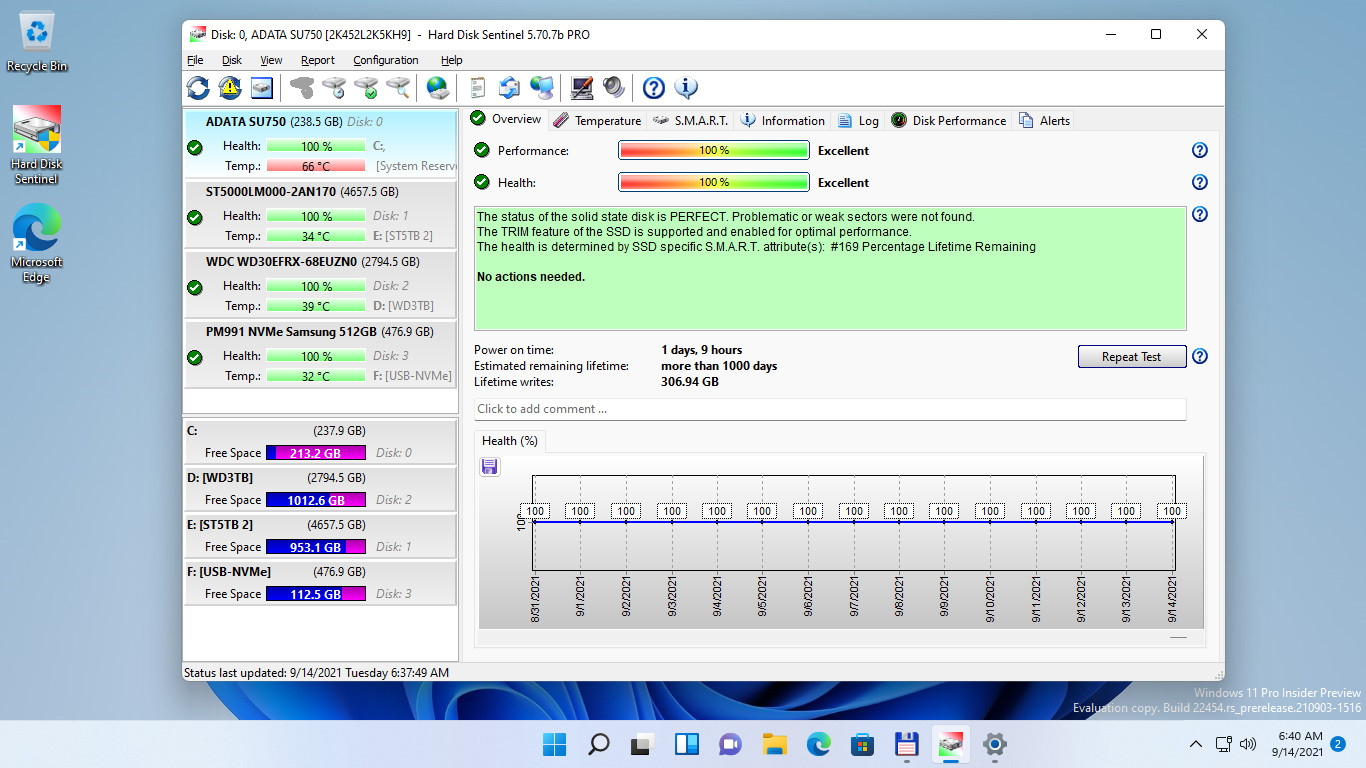
Hard Disk Sentinel Professional (HDSentinel) is a hard disk monitoring software with highest possible support of HDD/SSD/SSHD (hybrid) drives. Its goal is to find, test, diagnose and repair hard disk drive problems, report and display SSD and HDD health, performance degradations and failures. Hard Disk Sentinel gives complete textual description, tips and displays/reports the most comprehensive information about the hard disks and solid state disks inside the computer or in external enclosures (USB / e-SATA). Many different alerts and report options are available to ensure maximum safety of your valuable data. The software monitors hard disk drive / HDD status, including health, temperature and all S.M.A.R.T. (Self-Monitoring, Analysis and Reporting Technology, built in most hard disks, solid state disks and hybrid drives (SSHD) today) values for each disks. Also it measures the disk transfer speed in real time which can be used as a benchmark or to detect possible hard disk failures, performance degradations. HDSentinel is the perfect data protection solution: it can be effectively used to prevent HDD failure and SSD / HDD data loss because it has the most sensitive hard disk health rating system which is extremely sensitive to hard disk problems. This way even a small HDD problem can't be missed. The Professional version has scheduled and automatic (on-problem) hard disk backup options to prevent data loss caused by not only failure but by malware or accidental delete also. Features Easy to use interfaceAll information are displayed in the main window of the application. Quick controls allow easy navigation to access all hard disks, partitions and different information. Intuitive user interface elements display information by using green/yellow/red color to indicate the level of problem. Detailed text description and context sensitive help guides the user thru the features and options. 1. Install > 2. Configure > 3. Stay protectedJust install, configure alerts and backup functions and your system is now safe. You'll be notified about the problems - but if everything is correct, Hard Disk Sentinel just sits on tray and displays current status. The data is protected 24 hours daily, 7 days a week. Hard Disk ManagementControl Advanced Power Management level and adjust Free Fall Control sensitivity of hard disks to maximise hard disk performance and data safety. BackupWide range of automatic backup methods are available: to backup data to local computer, to a LAN server or to a remote server by transferring files via FTP (or even by e-mail). It is possible to use 3rd party tools to create archives or burn CD/DVD media. Hard Disk Sentinel Professional can manage power status of remote computers in the network, so it is possible to automatically power on and shut down remote computers, for example a backup server. API Interface For DevelopersWith the API it is possible to query detected hard disk information from the software. This way 3rd party softw...
Activation
Visit this https://www.hdsentinel.com/download.php Download the installer from https://www.harddisksentinel.com/hdsentinel_pro_setup.zip Activate on the menu "Help > Enter Register Key > Registration" Input Your Name and Registration Key.