Pay from your Mylven balance — no card at checkout
Code shown in your account and sent by email
Code doesn’t work? We replace it or refund you
Sold and delivered by MYLVEN LTD
Description
Buy a Virtual MasterCard Online Get a M82 CONSULTING Prepaid MasterCard to easily manage your digital spending and make payments on multiple Platform. This card can be reloaded and functions like any other MasterCard, providing safety and flexibility without having to use a credit card. Pay with Google Pay and Apple Pay Adding your MasterCard to Google Pay or Apple Pay offers a convenient and secure way to make payments both online and offline. By integrating your card with these digital wallets, you can streamline your purchasing process, enhance security and enjoy a more efficient payment experience. Terms & Conditions and Support The MasterCard cards provided by M82 CONSULTING can be used globally and offer versatile usage. These cards can be used to load your Google Pay and Apple Pay account and do have 3DS security. Customers should check if their platform supports 3D Secure before using the card. The terms and conditions for the card can be found on https://flexicard.uk/en-gb/information/terms-conditions and the customer service team is available to assist with any inquiries. We provide customer support for MasterCard inquiries. Contact us for assistance. We value your feedback and are committed to ensuring a smooth MasterCard experience for you.
Activation
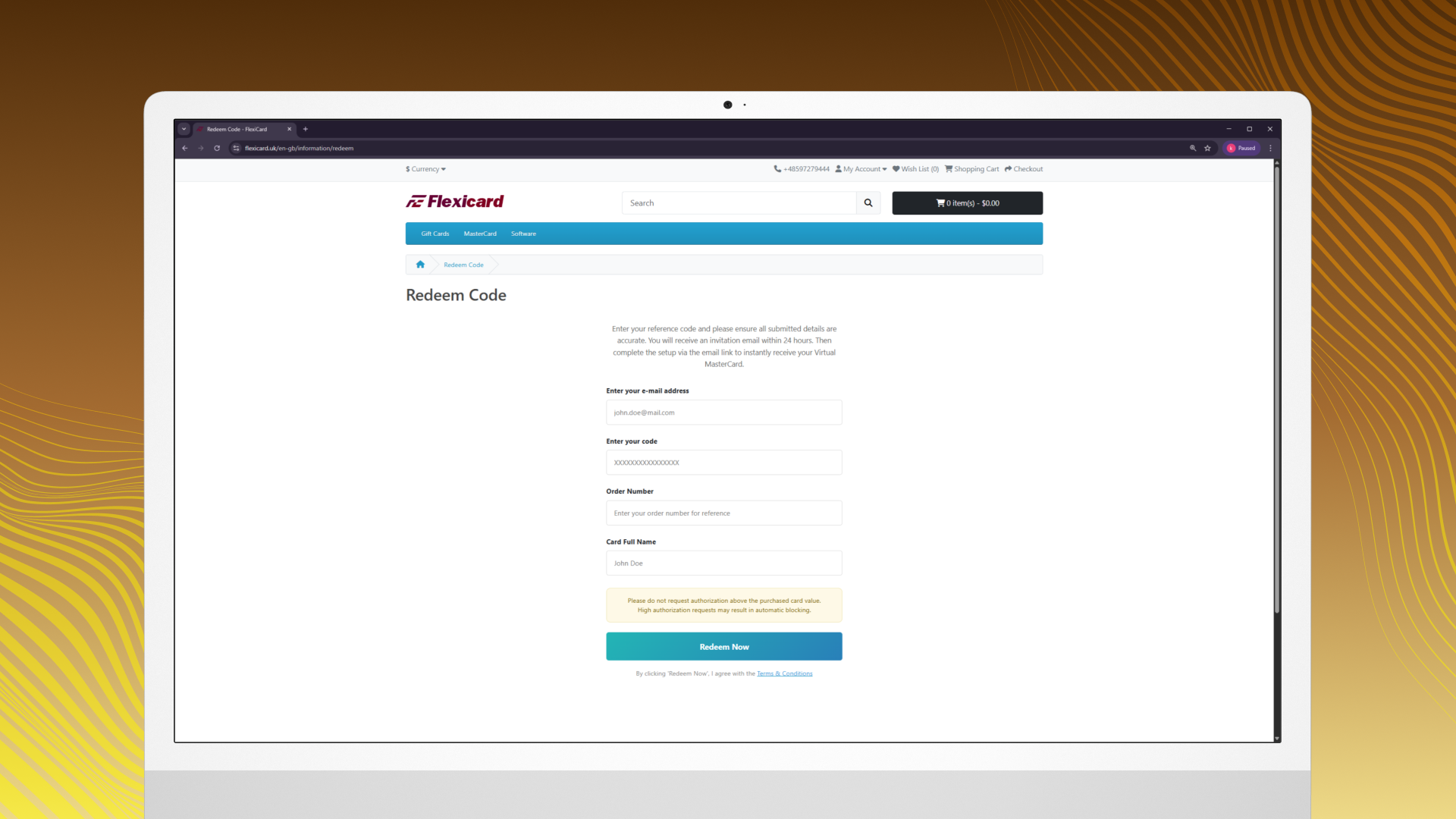
How to Activate Your Virtual MasterCard Purchase an M82 Consulting Virtual MasterCard voucher. Go to the redemption page: https://flexicard.uk/en-gb/information/redeem Enter your Email address. Enter the 16-digit voucher code and order number you received after purchase. Enter your full name, exactly as you want it to appear on the card. Click button "Redeem Now". You will see a "Request Submitted" confirmation message. Within 24 hours, you will receive an email invitation from Revolut Business to activate your virtual card. Check your inbox. If you don’t see the email, please check your Spam or Junk folder. Click the activation link in the email, complete the setup and KYC verification then instantly receive your Virtual MasterCard details. Once activated, use the card number, CVV and expiration date to make payments on any website that accepts MasterCard.
 Digital key
 Gift card