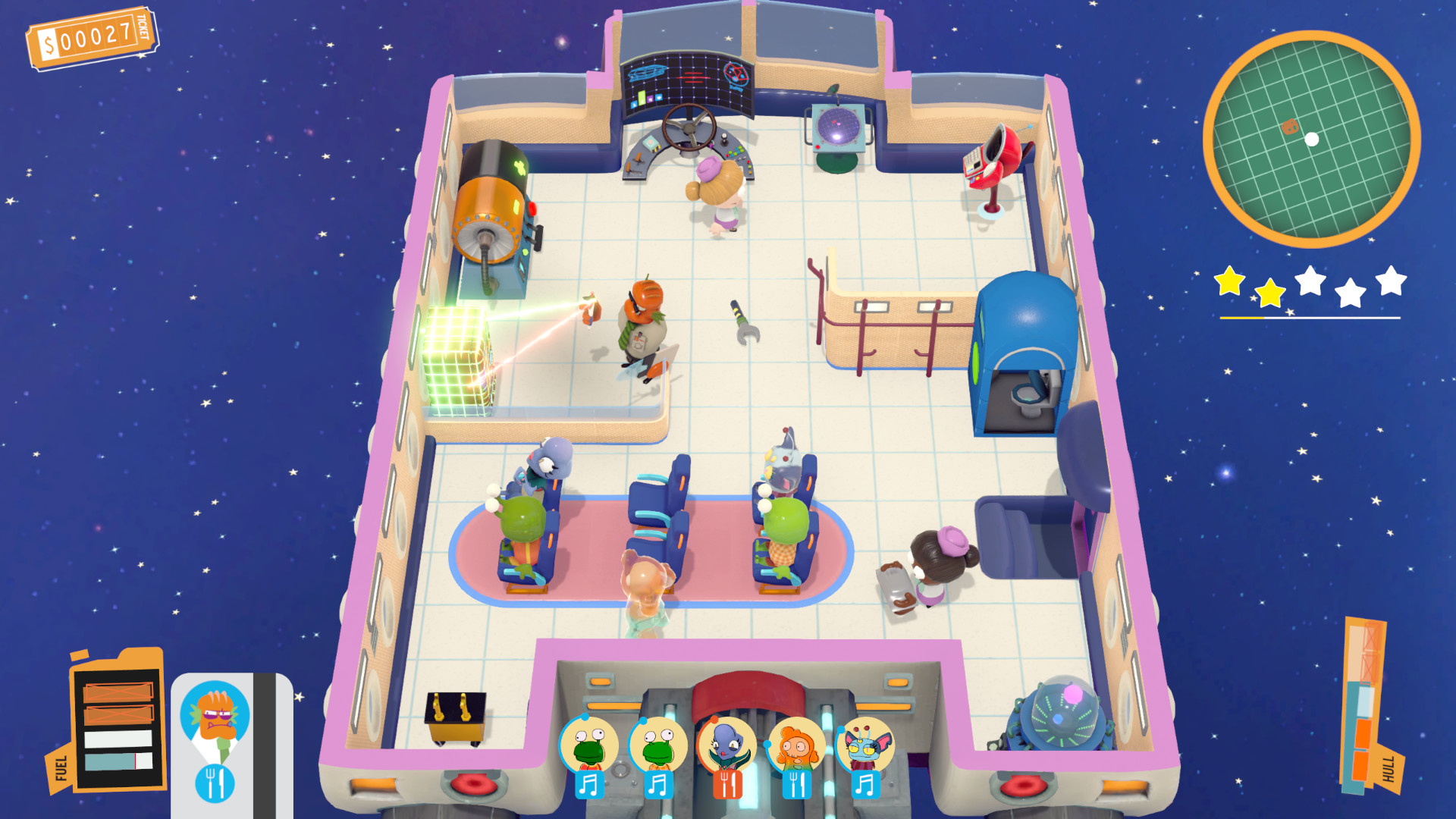
Spacelines from the Far Out XBOX One / Xbox Series X|S / PC Account
- Platform
- Xbox One
- Type
- Game
- Region
- Region free
- Availability
- In stock
−22%€4.49
€3.49
- Pay from your Mylven balance — no card at checkout
- Code shown in your account and sent by email
- Code doesn’t work? We replace it or refund you
Sold and delivered by MYLVEN LTD
Description
Spacelines from the Far Out is a ‘roguelike-like’ co-op management game about airlines in space, featuring unlockable spaceships, upgrades, characters and customizations, randomly-generated challenges, trips and itineraries, with a generous serving of 60s space-age flair and jazz! Features A PROCEDURALLY-GENERATED SPACE TRIP Never fly the same trip twice with our mighty Trip Generator, a system that constructs fresh compaigns with unique sets of routes, destinations, space hazards, ship emergencies and passenger events. Alongside it, our game-balancing system Game Director AI monitors players' progress and performance through trips and dynamically controls game events in real time, allowing for a seamless transition from single to multiplayer! A COSMIC HANDFUL OF NEEDY PASSENGERS Each of your passengers are independent AI entities with their own needs and behaviors, dynamically responding to their environment and players' actions. Be advised: if they don't approve of your service, you may get a visit from the dreaded Inspector, who will look for health and safety violations and shut your spaceline down! BUILD THE PERFECT STARLINER From helm to engines, each of your ship's 15 different systems can be upgraded to create the perfect space ride. With tons of unlockable ships, you will be able to expand and create your own luxury star fleet! YOUR VERY OWN CUSTOMIZED SPACELINE By successfully completing flights, you will find lost parcels containing tons of unlockables for your company: from spaceline customizations such as logos and color schemes, to skins for your ships and new species of playable characters!
Activation
Use the credentials you received (directly or via an external website) and log into the account. Make sure that the content on the account is correct (correct edition of the game, no playtime etc.) Add the purchased account to your console and set it as Xbox home account: Purchased account has to be added as a new user, not as a guest30 Xbox Series X S How to Make Account Primary! Change the credentials to make the account your own: Change the email Change the password Add 2FANOTE: Applying any changes to the purchased account, such as adding a payment method or changing the region, may result in the account being banned. In such cases, no refund is applicable. Once the account is added to your console (as a Xbox home account), download the game and switch back to the account you would like to play from. This way your progress will be saved on the account you are using.* The account should be used as a way of accessing the game/content you are interested in. It is not recommended to use it as your main account, as you might have issues with making purchases on it. *Note: Some content available in the Special Editions like in-game currency, skins, bonuses etc. may not be accessible from your main account.