Description
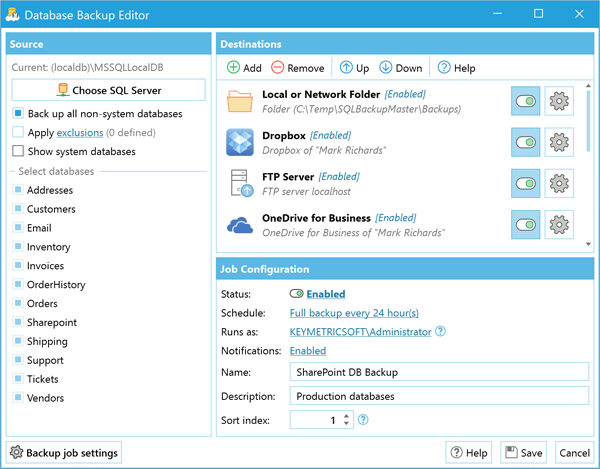
EASY OFF-SITE SQL SERVER DATABASE BACKUPS SQL Backup Master backs up your SQL Server databases to any number of popular cloud storage services such as Dropbox, OneDrive, Amazon S3, Microsoft Azure, Box, Google Cloud Storage, Backblaze, Google Drive, and more. It can also back up databases to an FTP server - or a folder on your local machine, network server, or storage device. Backing up your SQL Server databases to the cloud shouldn't be complicated or expensive. SQL Backup Master provides an easy way to upload your database backups to one (or multiple) cloud storage services. It also offers rich compression, encryption, scheduling, recovery, and notification services - so that you can stop worrying and get back to business. FEATURES Supports full, differential, and transaction log backups Simple yet powerful backup job schedulin Send backup job notifications via email, desktop alerts, and webhooks Back up to local folders, network folders, or attached storage devices Back up to FTP servers with first-class FTP, SFTP, & FTPS support Back up to Dropbox, Google Drive, Box, Amazon S3, OneDrive, & Azure SQL Backup Master is one of the most popular SQL backup solutions in the world.Try it today and see why so many users depend on SQL Backup Master. Compress and encrypt valuable database backups Runs automatically in the background as a system service Powerful, intuitive backup logging and log viewer Provides easy-to-use database backup recovery support Automatically purge backups older than a specified time frame Execute custom SQL and batch scripts before and after backups
 Digital key· Region free