UVI Tape Suite PC/MAC CD Key
- Platform
- Digital key
- Type
- Software
- Region
- Region free
- Availability
- In stock
−20%€25.49
€20.49
- Pay from your Mylven balance — no card at checkout
- Code shown in your account and sent by email
- Code doesn’t work? We replace it or refund you
Sold and delivered by MYLVEN LTD
Description
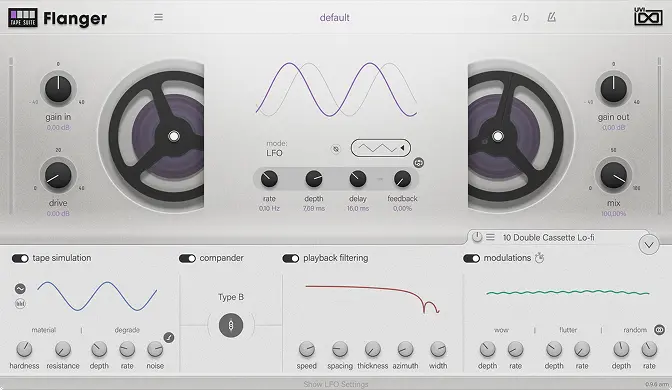
4 effect plugins including Delay, Flanger, Chorus, and Color Fully parametric tape model provides unparalleled creative control Meticulous simulation delivers powerful analog tape sound 4 Tape Effect Plugins Tape Suite includes 4 discrete plugins, each building on a shared core, then extending it further with unique effect designs to provide exceptional hardware realism for a variety of use-cases, each with modern digital control and reliability. Analog tape flanger featuring through-zero flanging and control in manual or LFO modes (with possible sync to host), for a velvety, organic sound. Analog tape delay featuring 4 heads with individual pan which can be synced to host tempo with snap-to-grid in eights or triplets, a ping-pong mode with global stereo spread, and selectable feedback from any of the playback heads for creative delay possibilities. Analog tape color delivers the natural characteristics of tape, including an additional texture processor and convolver with impulse responses from a number of vintage devices. Delivers an impressive range of natural and supernatural sounds. Analog tape chorus providing up to 8 voices with adjustable stereo spread, resulting in buttery analog warmth and subtle to extreme effects.
Activation
Install UVI Portal: https://www.uvi.net/dl-portal.php?p=win https://www.uvi.net/dl-portal.php?p=mac Open UVI Portal and login to your UVI Account. Register your serial number and link it to your https://www.ilok.com/ (free, dongle not required). Download and install your product by clicking on the button on the right of it (you might be asked to install or update http://www.uvi.net/uvi-workstation.html or http://www.uvi.net/falcon.html first). Finish by activating your product with iLok License Manager.